Test Center
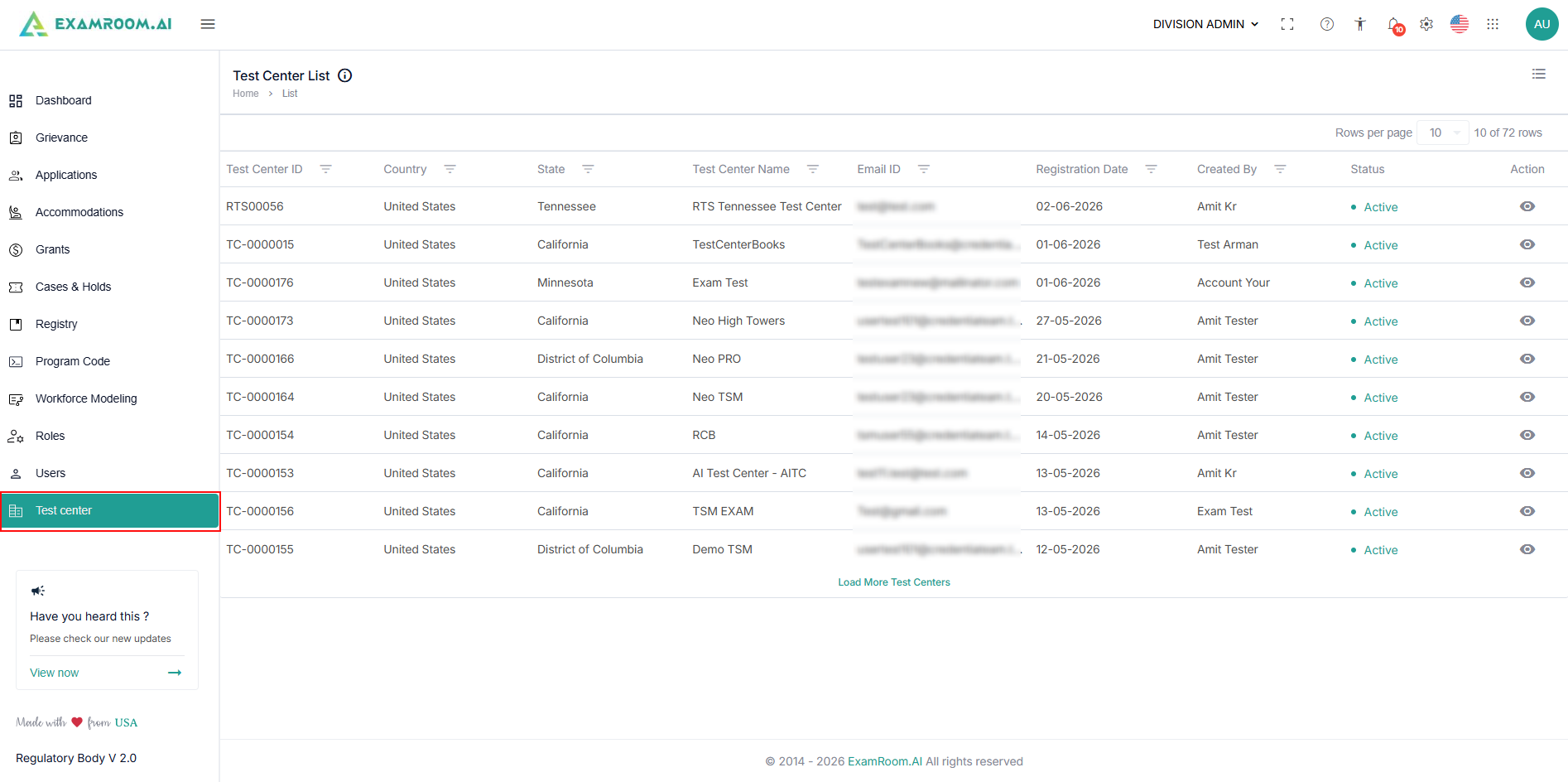
The Test Center window displays the list of test centers that have already been enrolled with NRBs. When you add a new test center to the Regulatory body, assign it to a state so the new user has access to the test center.
Perform the steps below to navigate to the test center section:
- Navigate to the left side menu and select the Test Center.
- The Test Center Lists are displayed in the table view, comprising all the Test Centers.
- To view the Customize Display of the table items, click the Hamburger Menu at the right corner of the Test Center List page and select the required check box to display specific column information.
- The following are the table item details:
- Test-Center ID: Displays the unique identifier assigned to each test center.
- Country: Displays the country where the test center is located.
- State: Displays the specific state or region of the test center.
- Test-Center Name: Displays the name of the test center.
- Email ID: Displays the contact email for the test center.
- Registration Date: Displays the registered date of the test center.
- Created By: Displays the person or system that created the test center entry.
- Status: Displays the live status of the test center.
- Active: When the test center is active.
- Inactive: When the test center is not active, its status will be marked as Inactive.
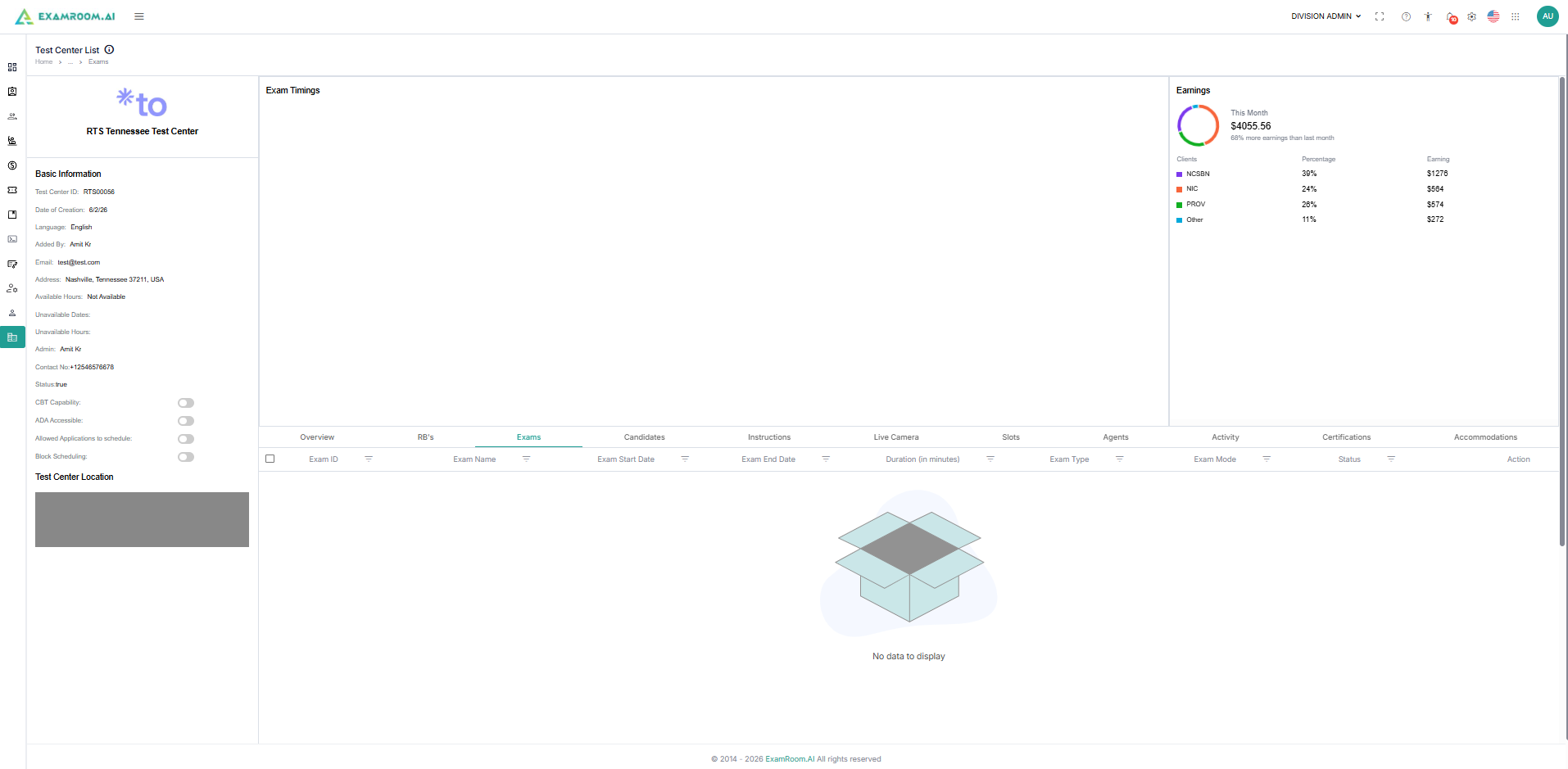
- Action: Click the View icon to view the test center details.
- After you click view, you can view complete details, including overview, associated Exams, candidates, and test center-related information.