
Settings
The Settings section provides quick access to all platform features and options, including customization, application configuration, forms, workflows, and other administrative tools for managing core application settings and system-wide configurations.
To access the setting:
- Log in to the Regulatory Body Admin portal.
- Click the Settings icon located in the top-right corner of the header bar.
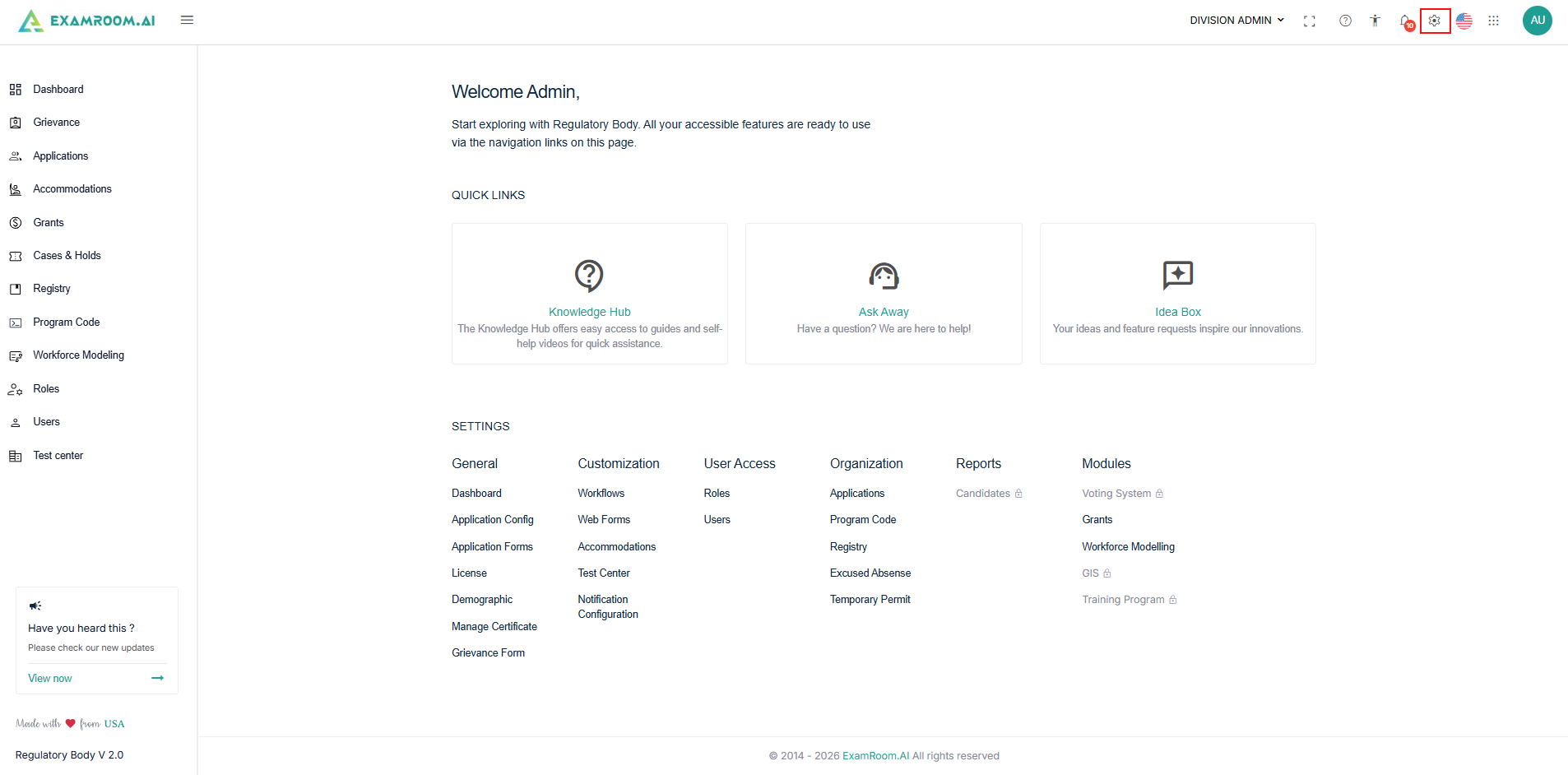
General
Application Configurations
- To know about the Application configurations, refer to the Application configurations section.
Application Forms
- To know about the Application Form, refer to the Application Form section.
License
- To know about the License option, refer to the License section.
Demographic
- To know about the demographic option, refer to the Demographic section.
Manage Certificate
- To know about the Manage Certificate, refer to the Manage Certificate section.
Grievance Form
- To know about the Grievance Form, refer to the Grievance section.
Customization
Workflows
- To know about the Workflow, refer to the Workflow section.
Web Forms
- To know about the Web Form, refer to the Web Forms section.
Organization
Excused Absence
- To know about the Excused Absence, refer to the Excused Absence section.
Temporary Permit
- To know about the Temporary Permit, refer to the Temporary Permit section.