Review of the Accommodation Request
Review the provided accommodation details after the candidate submits an accommodation request.
To review the accommodation request, follow the steps below:
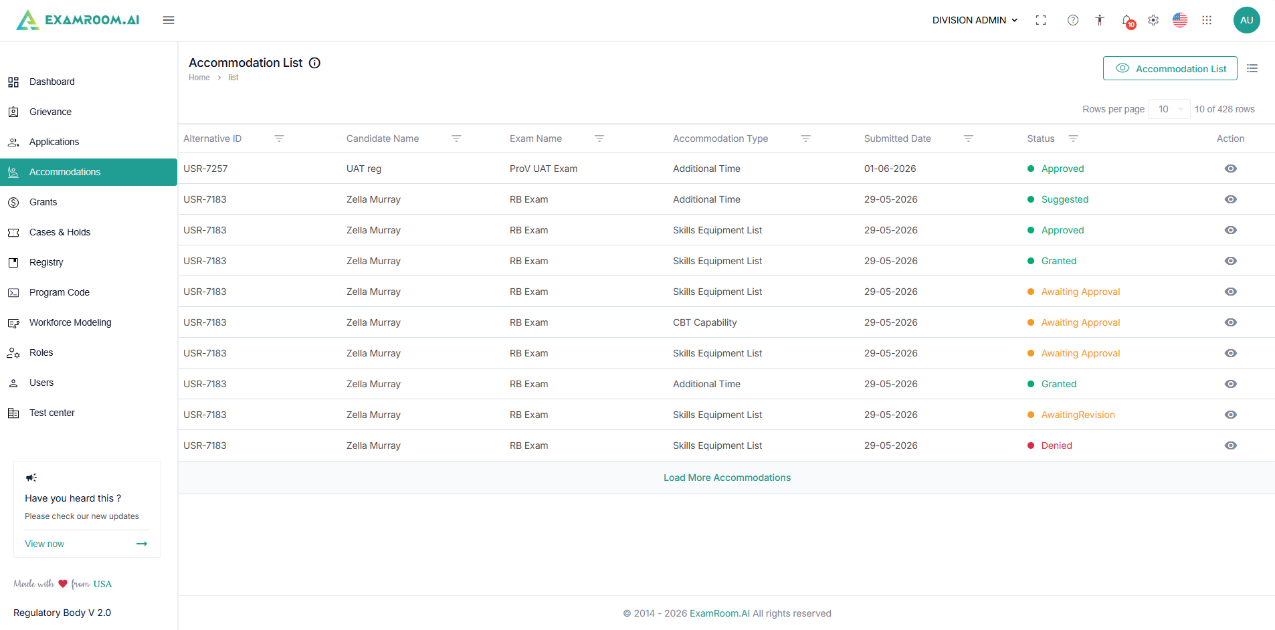
- Navigate to the left side navigation menu and select Accommodations from the list.
- On the Accommodations page, you have the list of submitted accommodation requests for review.
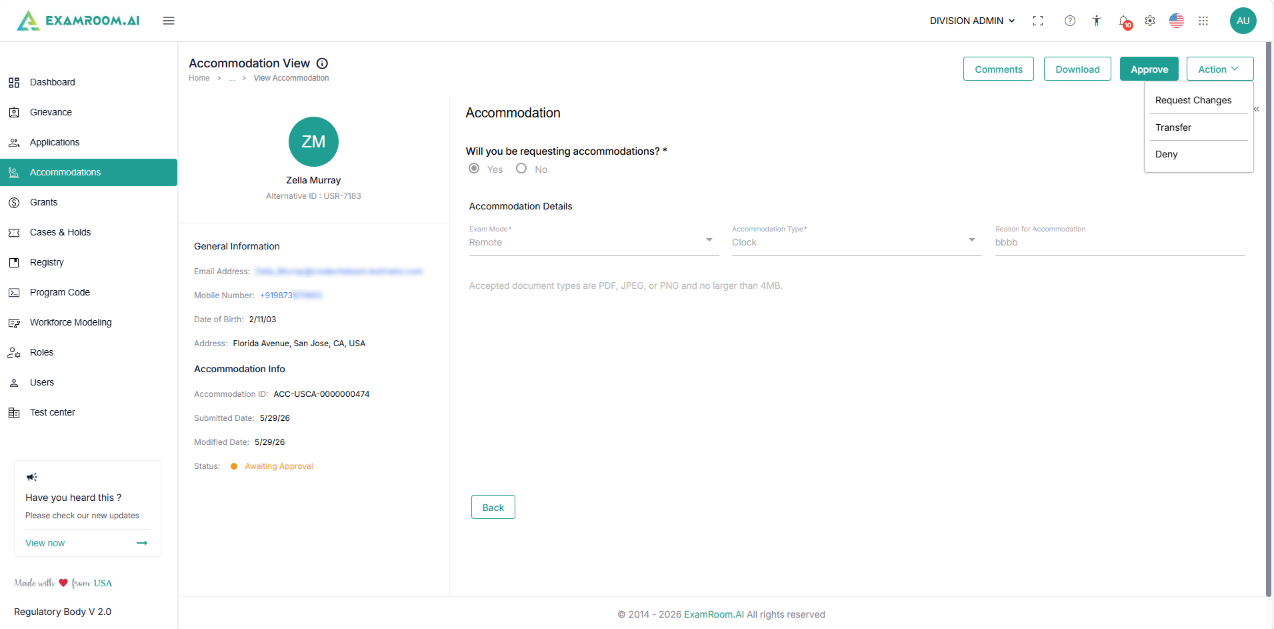
- Click the View icon in the Action Column of an accommodation request you wish to review.
- Review the accommodation details added by the candidate.
- Refer to the supporting documents attached by the candidate before taking action.
- After reviewing the accommodation details, process the request by selecting any of the options below:
- Click the Comments button to update the internal reference remarks.
- Click the Download button to save the application as a PDF file on your device
- Click the Approve button in the top right corner of the window to approve the request.
- Click the Action button and select the options from the dropdown:
- Transfer: Select forward the request for further approval.
- Click the Action option at the top right.
- Select Transfer.
- Add the reason under the Comments.
- Click the Send option.
- Deny: Select to reject the accommodation request.
- Click the Action option at the top right.
- Select Deny.
- Add the reason under the Comments.
- Click the Send option.
- Request Changes: Select to send the accommodation request back to the candidate to request changes/additional details.
- Click the Action option at the top right.
- Select Request Change.
- Add the reason under the Comments.
- Click the Send option.
- Transfer: Select forward the request for further approval.
Note: If the accommodation falls under the Need Approval category, by default, the Approve option will be disabled. You can review the request and take action using the available options: Transfer, Deny, or Request Changes.