Accommodation List for Approval Process
Accommodation List provides the updated record of listed accommodations with approval workflow categories for both the online and test center exams. This list can be referred to taking the necessary action when reviewing the accommodation request.
Follow the steps below to view the accommodation list for the approval process:
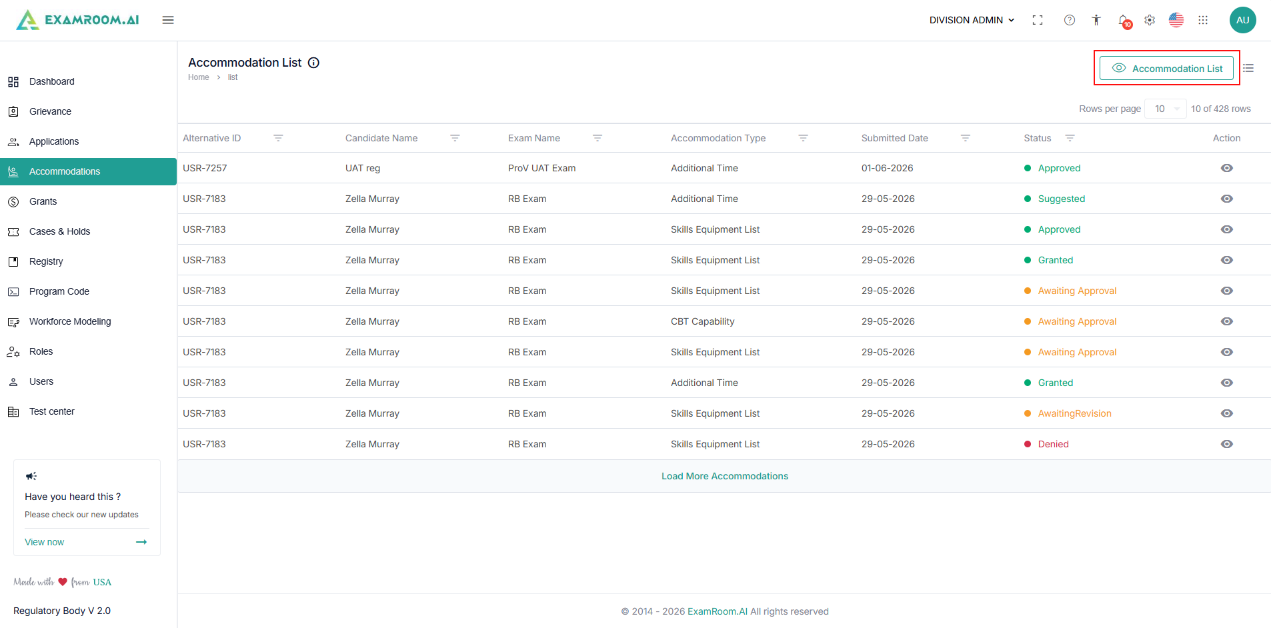
- Navigate to the left side navigation menu and select the Accommodations tab.
- On the top right side of the screen, click the Accommodation List.
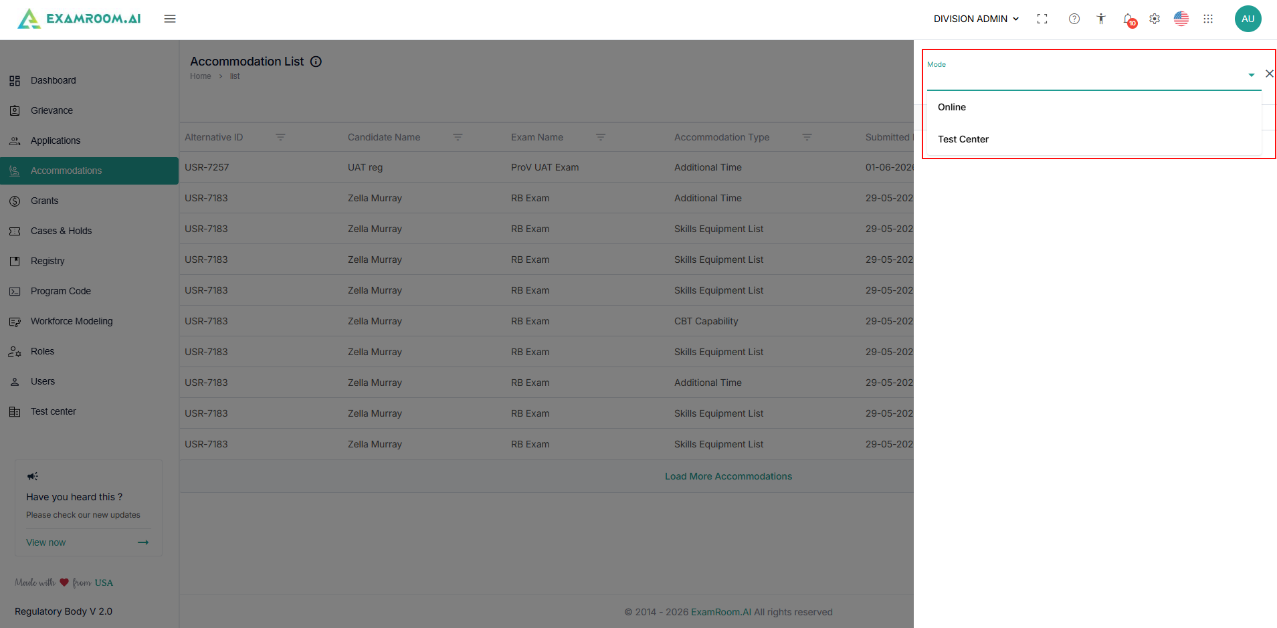
- Select the mode of accommodation, either Online or at a Test Center.
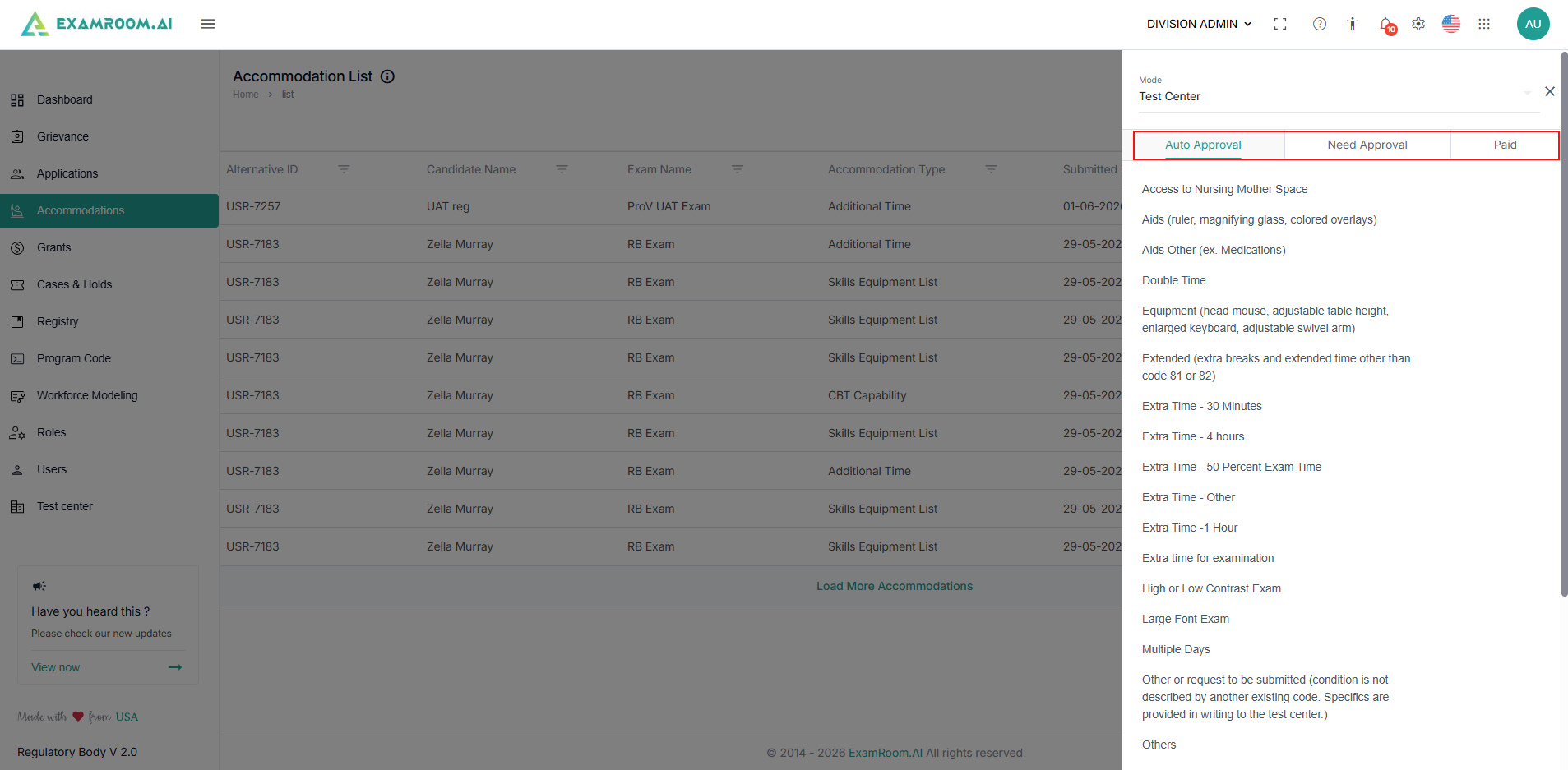
- View the accommodation list with three categories: Auto-Approval, Need Approval, and Paid.
Note: The accommodation list may vary based on the admin configuration. Ensure you check the Accommodation List section to view the latest list before taking action on the requested accommodation.
- Refer to the list to take the necessary action on the submitted accommodations.