First Time Login
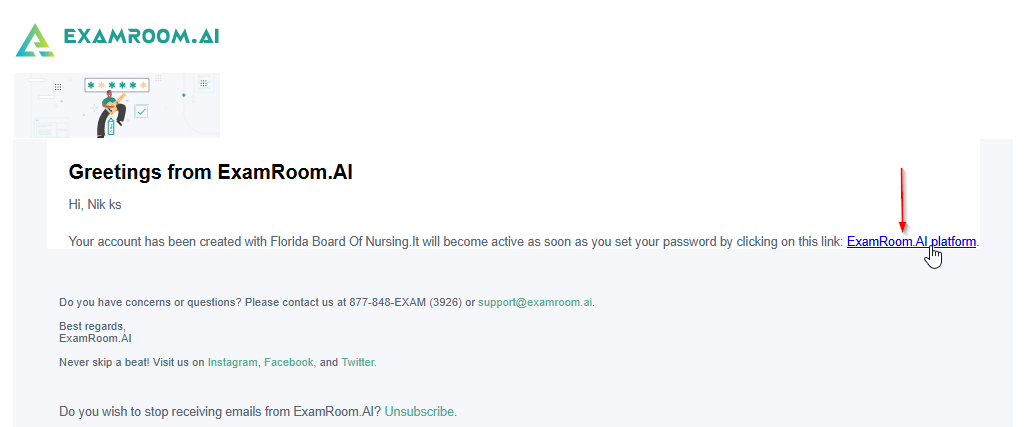
Once Admin creates the RB account, you will receive a confirmation email to your registered email address to set the password and log in to your RB console.
Follow the steps below to complete the initial login to set the login credentials:
- Open your enrolled email to find the Account Activation link.
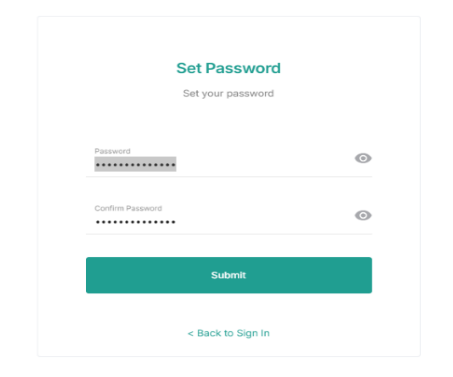
- Click the Create Your Password link provided in the email, and a new login window will open to set a new password.
- Enter your new password (twice) in the provided password fields and click Submit.
- Note: Ensure your new password meets the requirements. Your password must be at least fourteen characters long and should include at least one uppercase letter, one lowercase letter, one digit, and one special character.
- Note: Ensure your new password meets the requirements. Your password must be at least fourteen characters long and should include at least one uppercase letter, one lowercase letter, one digit, and one special character.
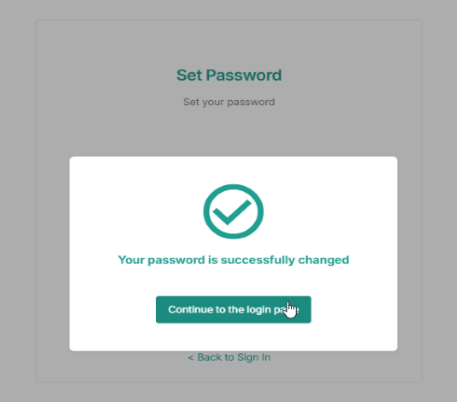
- Use your new credentials to log in after setting up the password.