Demographic (Demographic Change Request)
The Demographic Change Requests module allows you to review and process requests submitted by candidates to update their personal information, such as name, contact details, address, date of birth, and other demographic data.
Any demographic modifications made by the candidate before submitting an application are automatically approved and updated in the system. After the ATT is issued, any change requests will be visible in the demographic section, allowing you to review the details, add comments (for internal records), approve or deny the request, or request further changes before the update is finalized.
Review/view Demographic requests
Follow the steps below to review and update the candidate demographic information:
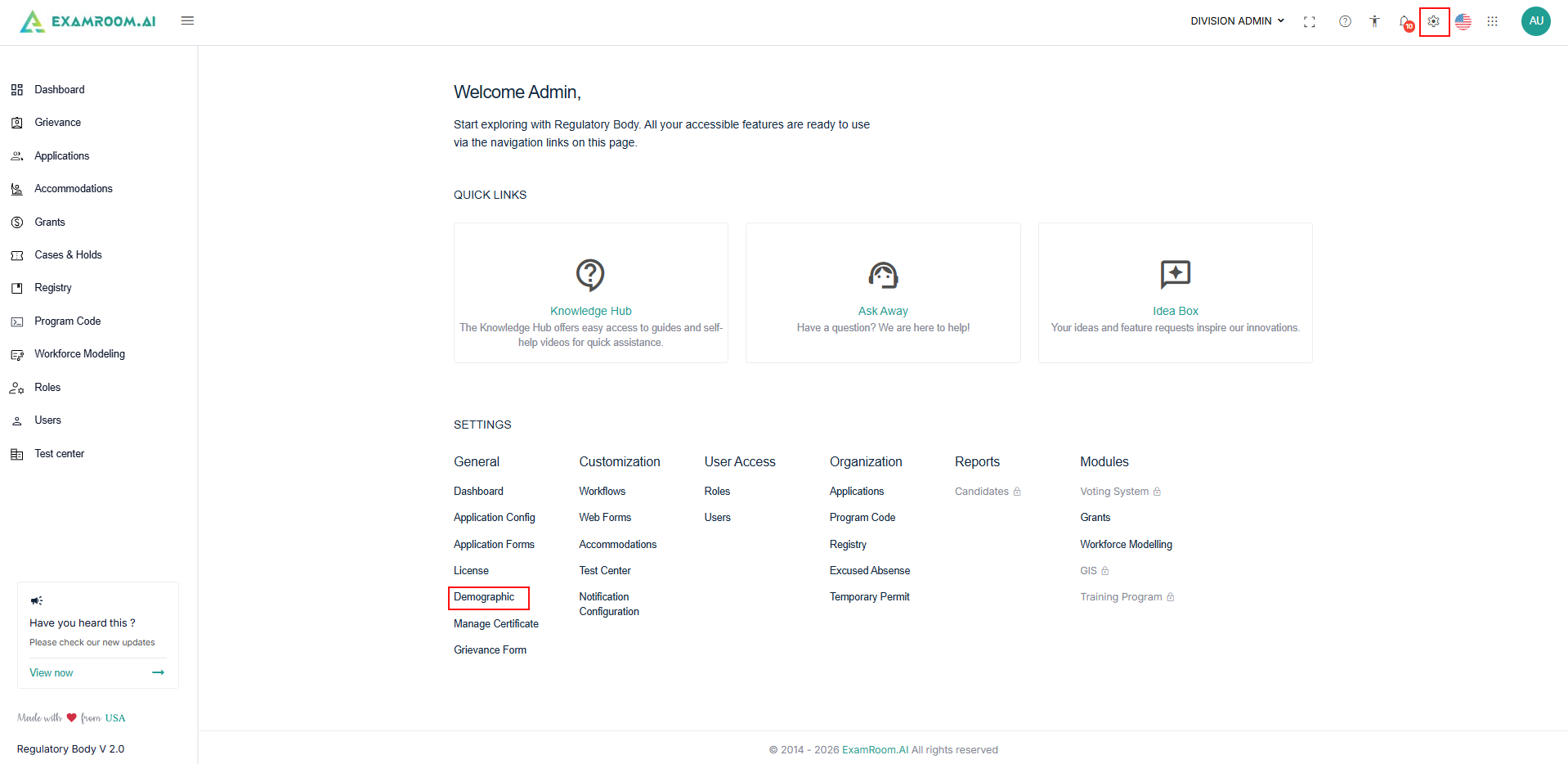
- Navigate to the Settings, select the Demographic under General.
- In the Demographic List page, all submitted requests are shown in a table format with the following details:
- Request ID: Unique ID generated for the request.
- Candidate Name: Name of the candidate.
- Email: Email address of the candidate.
- Applied On: Request submitted date.
- Status: status of the request.
- Available Actions: Click the View icon to view the complete details of the selected demographic change request.
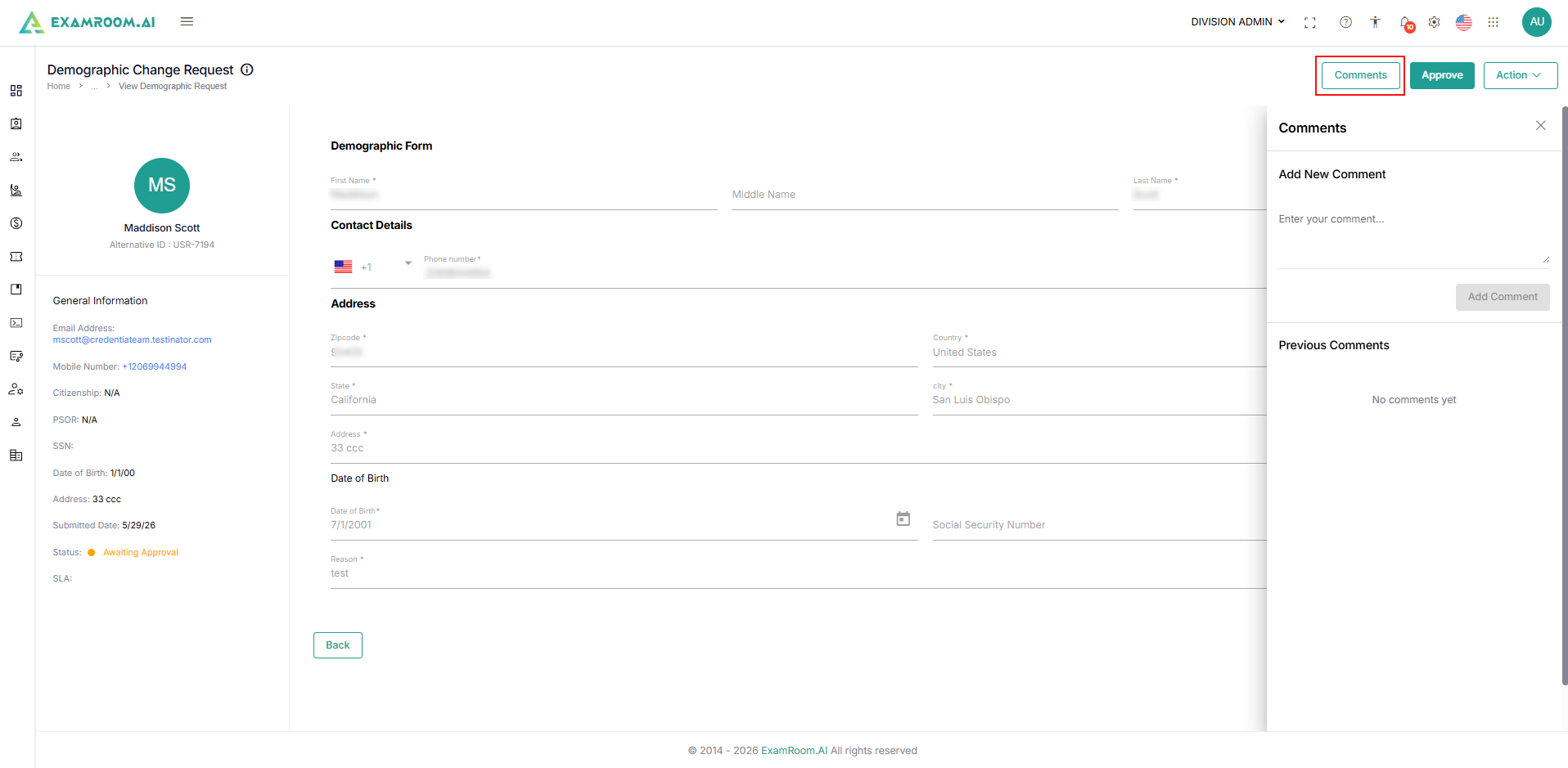
- After selecting a request with the status Awaiting Approval, review the updated details, verify them, and proceed with the necessary action.:
- Use the Comments for recording internal reference and view the Activity Timeline to track any updates made on the request.
- Click the Comments button, and the comments menu will appear.
- Enter your comments and click Add comments.
- Previously added comments will be displayed in this section for your reference.
- To view the Activity Timeline, click the Double Arrow from the top right side of the page.
- To Approve the Demographic Request
- Click the Approve button to approve the request.
- Click the Approve button to approve the request.
- To deny the Demographic request:
- Click the Action button and select the Deny option from the dropdown.
- To request changes (request more information) from the candidate to approve the demographic request:
- Click the Action button and select the Request Changes option from the dropdown.
- Click the Action button and select the Request Changes option from the dropdown.